Are your students creating (and printing) items on Canva? Here are a few tips to help them be successful with printing their products.
First, working with a template that is 8.5" x 11" is best. It's the only paper size we have. Regardless, here's how to get the best printed result:
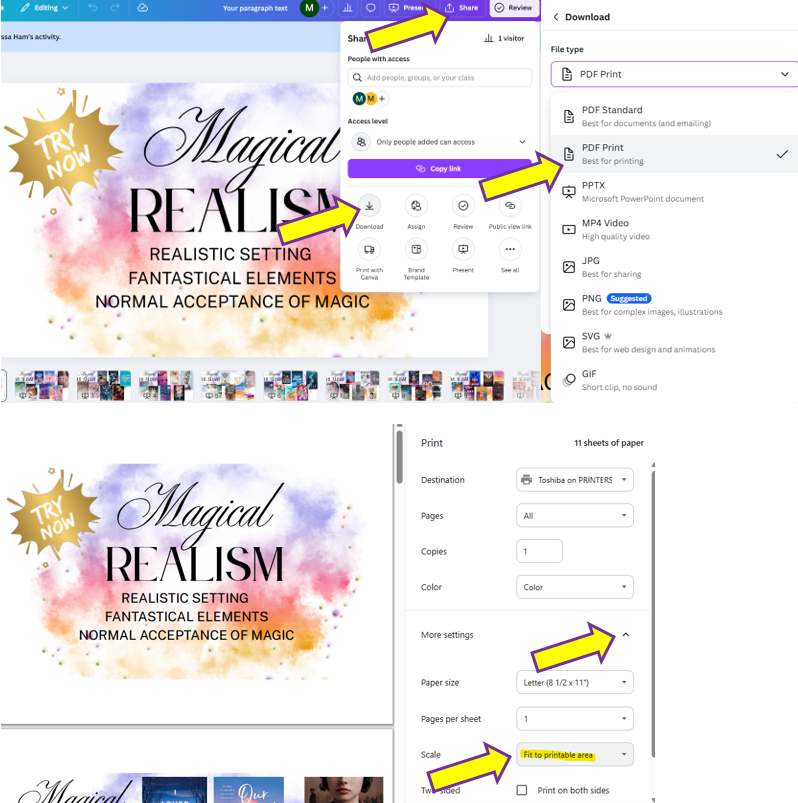
- Click Share, Download
- Select PDF Print
- Click More Settings, Under Scale select: Fit to Printable Area
Often students download JPG and PNG files which get "stuck" in the printer or try to print a paper size (e.g. A5) which we don't have.