
Teachers will create at TEAMS Meeting in Outlook Calendar and then post the information to wherever their administrator directs them.
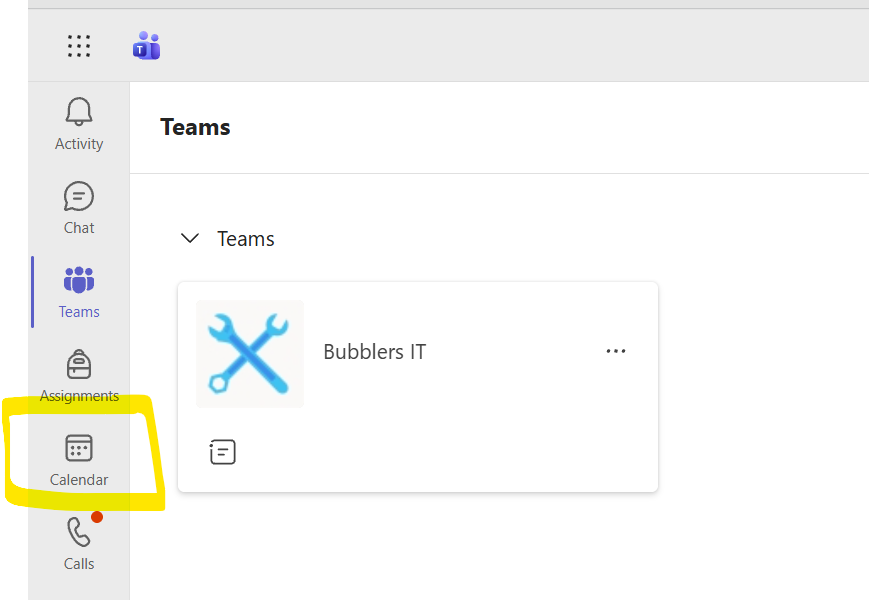
Go to link: https://teams.cloud.microsoft/ and find the Calendar.
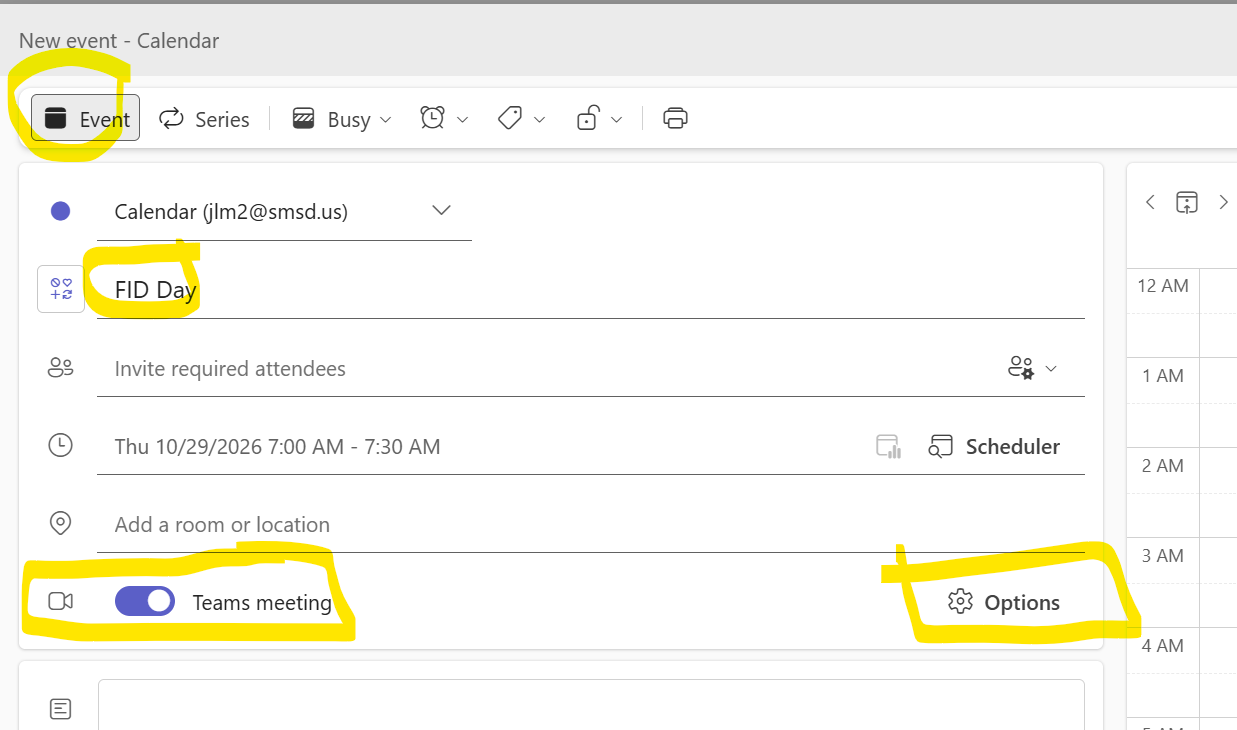
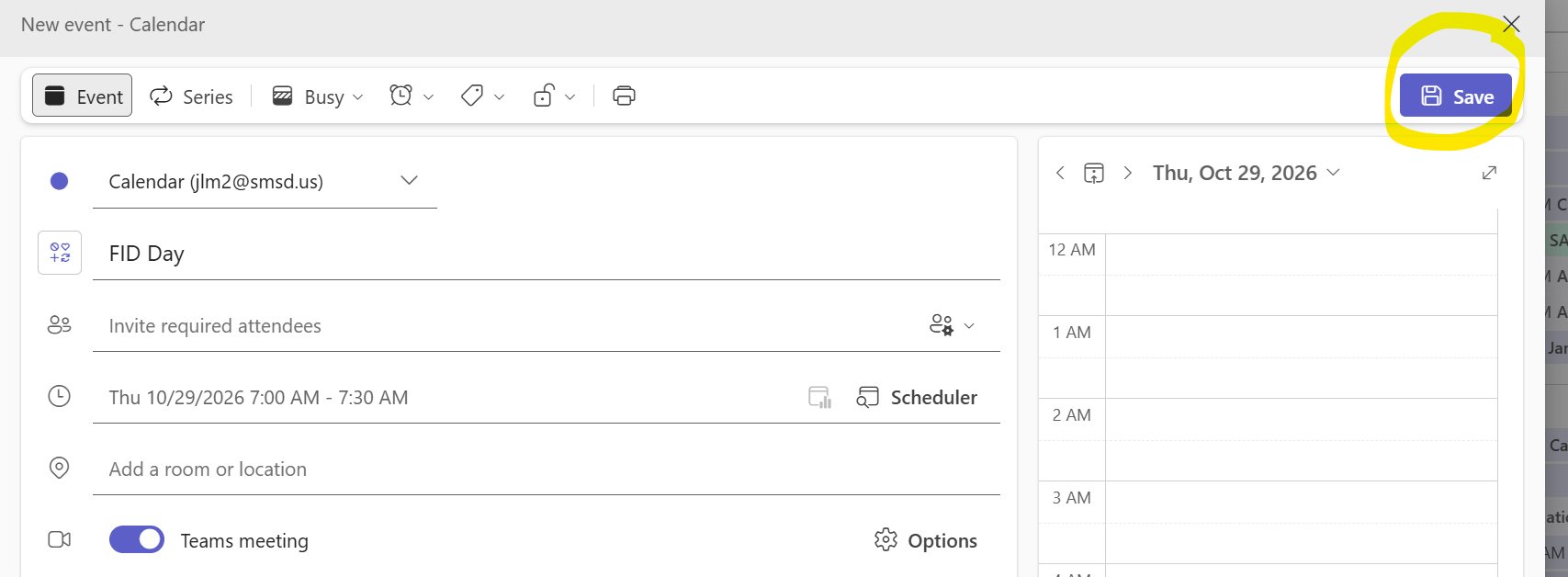
Create a New Event: Call it FID Day or Office Hours and make sure to Turn On Teams Meeting. Then click Options.
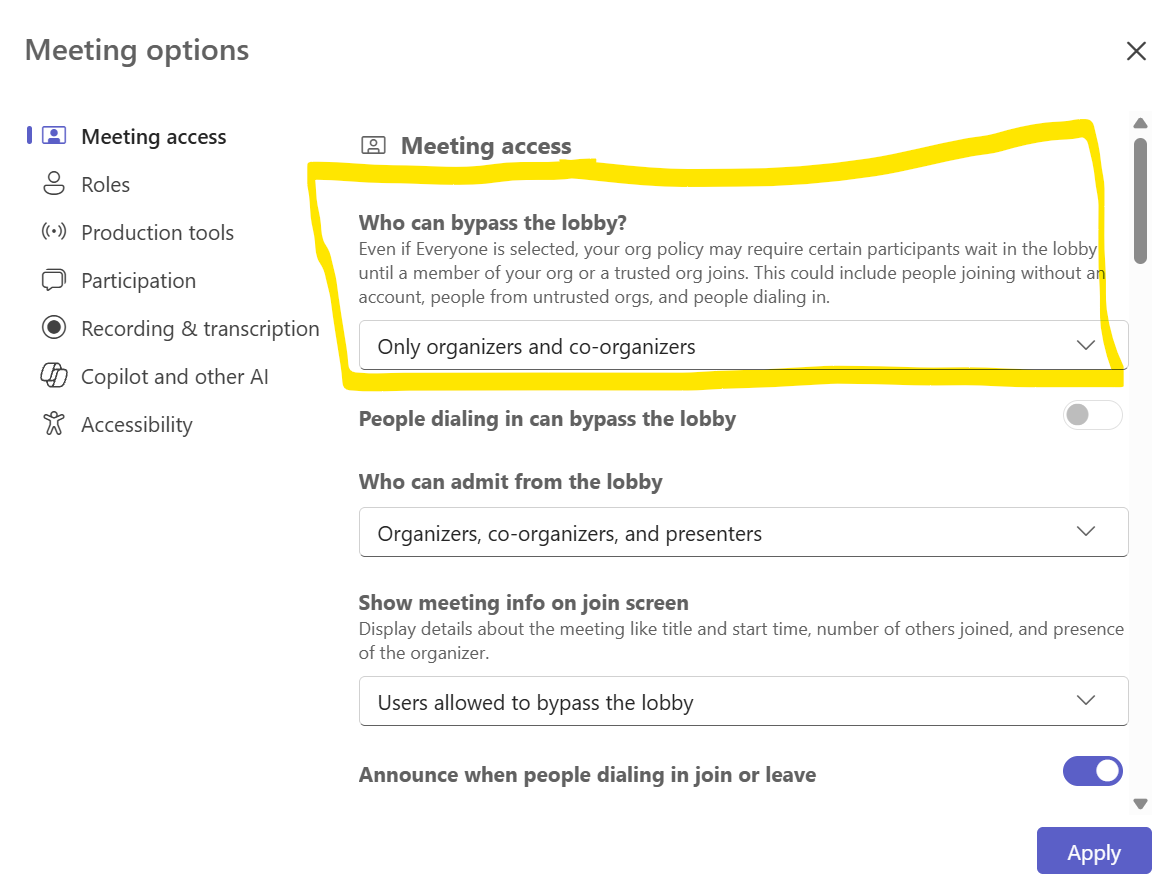
Meeting Options:
Have students wait in the lobby!!
• Locate the setting labeled "Who can bypass the lobby".
• Change it from the default (such as Everyone) to "Only me" or "Only organizers and co-organizers" so that students are held in the waiting room. Apply
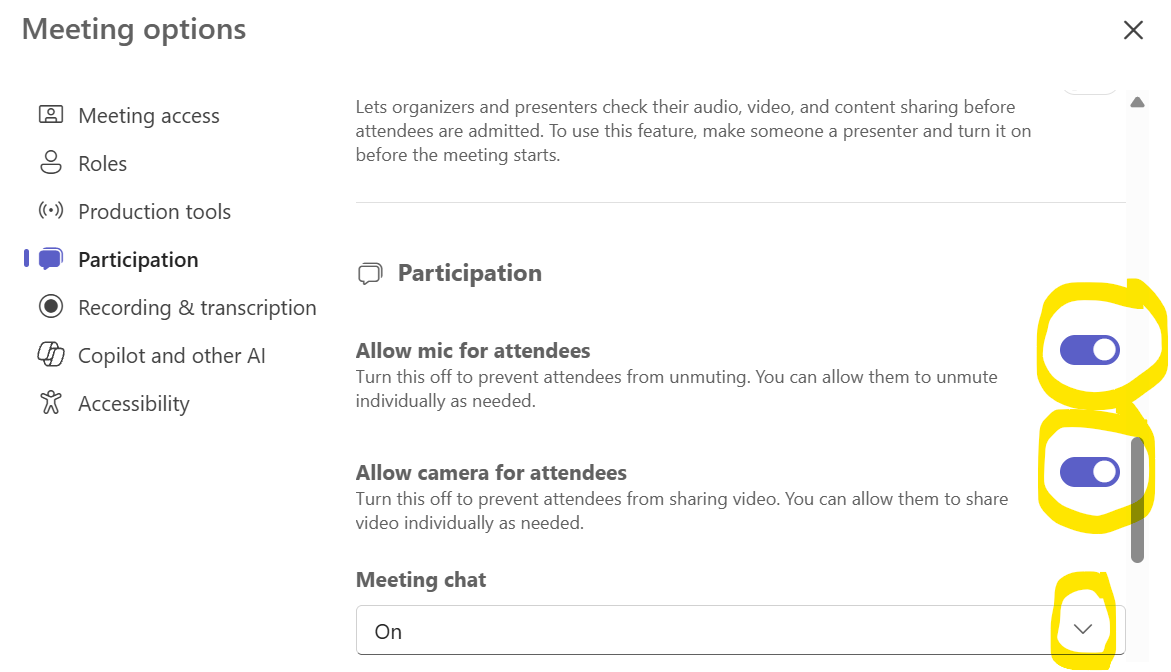
Participation: Allow Mic for Attendees and Allow camera for Attendees. Recommendation is to have Chat turned OFF, but it is your choice.
SAVE.
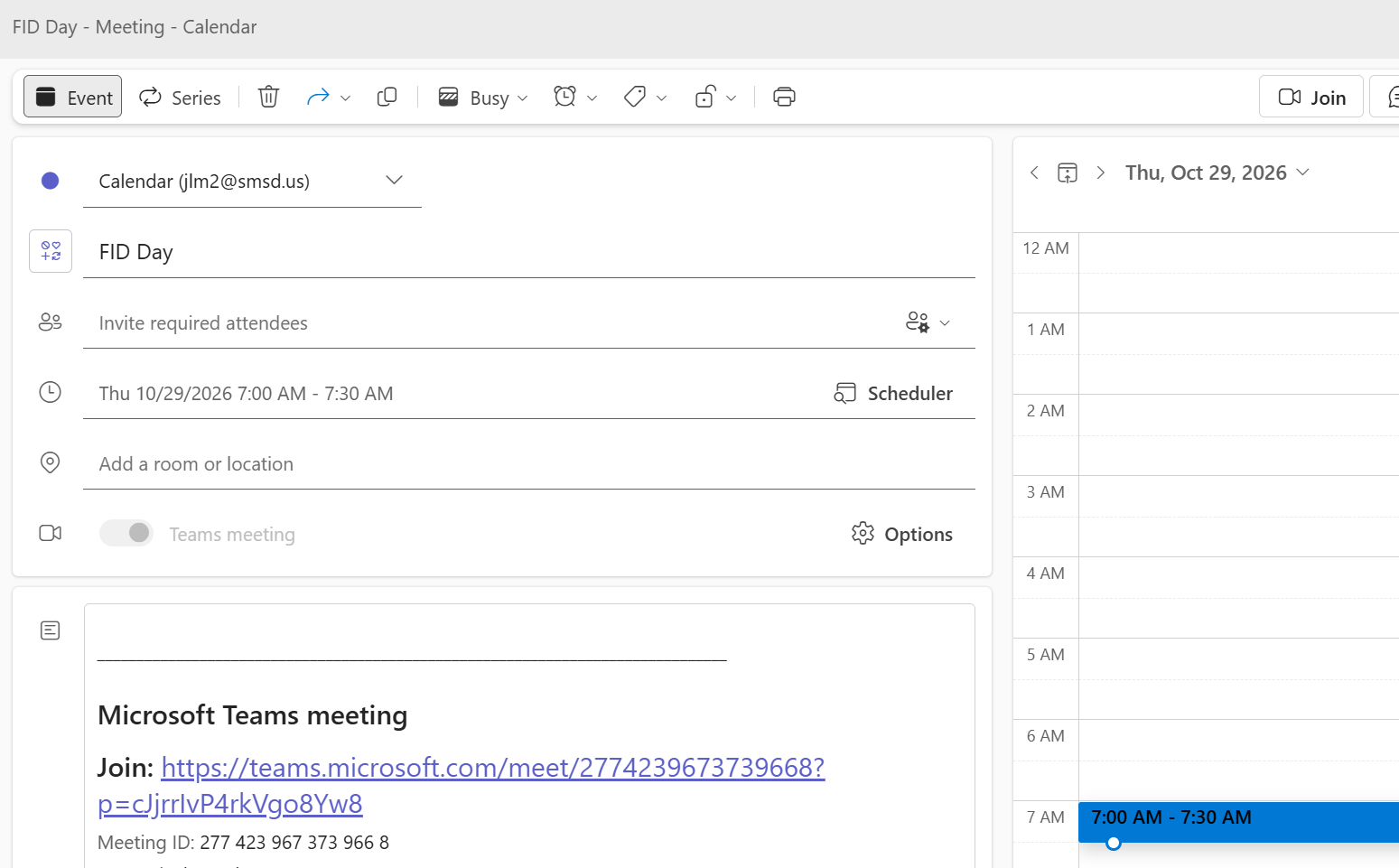
Then click again on your meeting to find the meeting link:
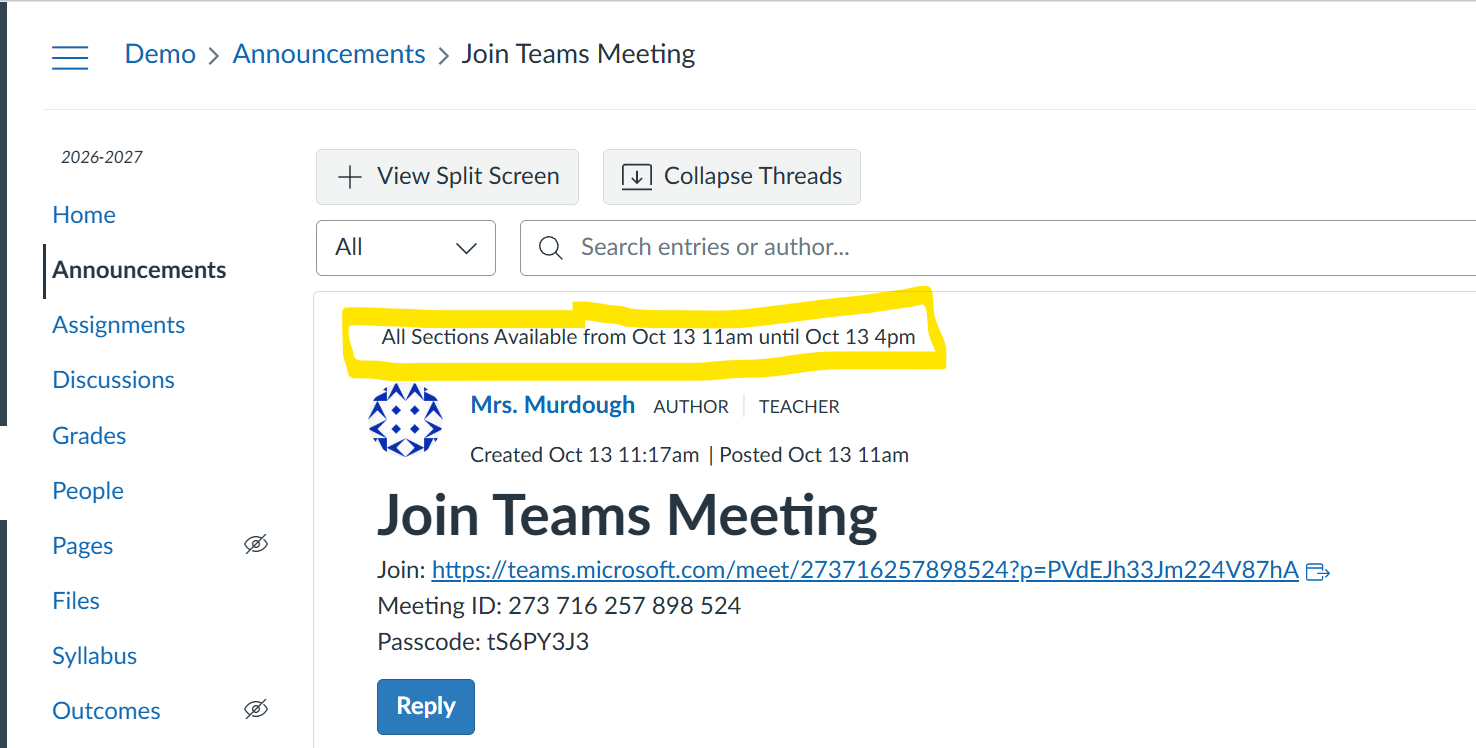
BSHS Canvas Users: Create an Announcement and make it active for the time frame you'd like students to see the message.
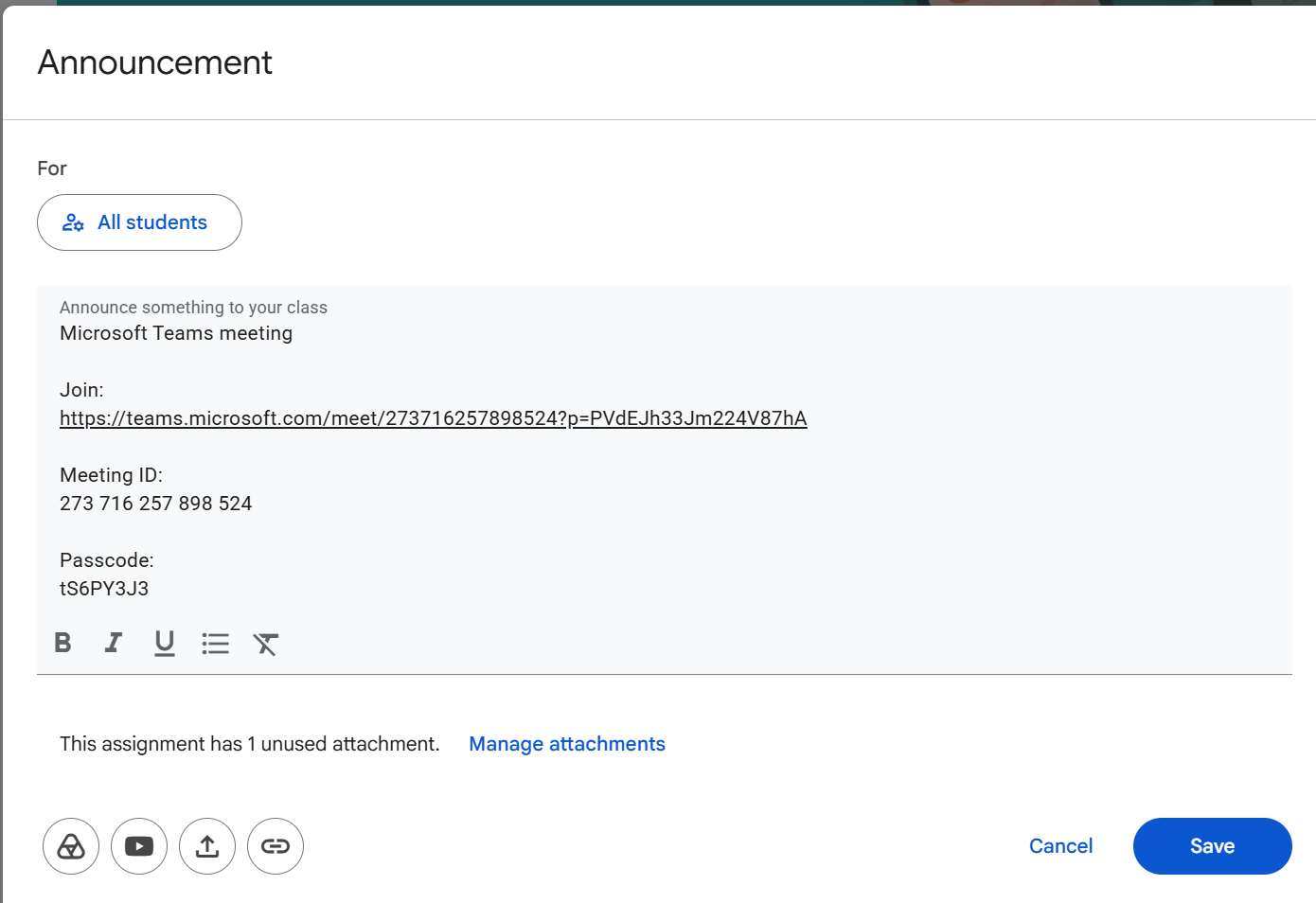
YBMS Google Classroom Users: Populate the document from Mr. Osuch and if you want, create an Announcement for your students with the Teams Meeting link.
RICE Seesaw Users:
- RICE-Teachers will place the link for their Teams Meeting in Seesaw as an Announcement and put in document from Mr. Boley
- To put in Seesaw: Open Messages: Log into Seesaw, go to Messages, and tap the pencil icon.
- Select Announcement: Choose New Announcement from the menu.
- Choose Audience: Tap Add Classes or pick specific students, teachers, or family members. You can filter by school, grade, or select all.
- Compose Message: Type your text and tap the green + (Add) icon to attach photos, videos, links, or creative canvas files.
- Send or Schedule: Tap Send immediately.