
Students do not need Microsoft Teams to join a teacher's Team meetings. Students can join directly from a web browser using the meeting link. This link will be found in the teacher's Canvas.
Join via a web browser
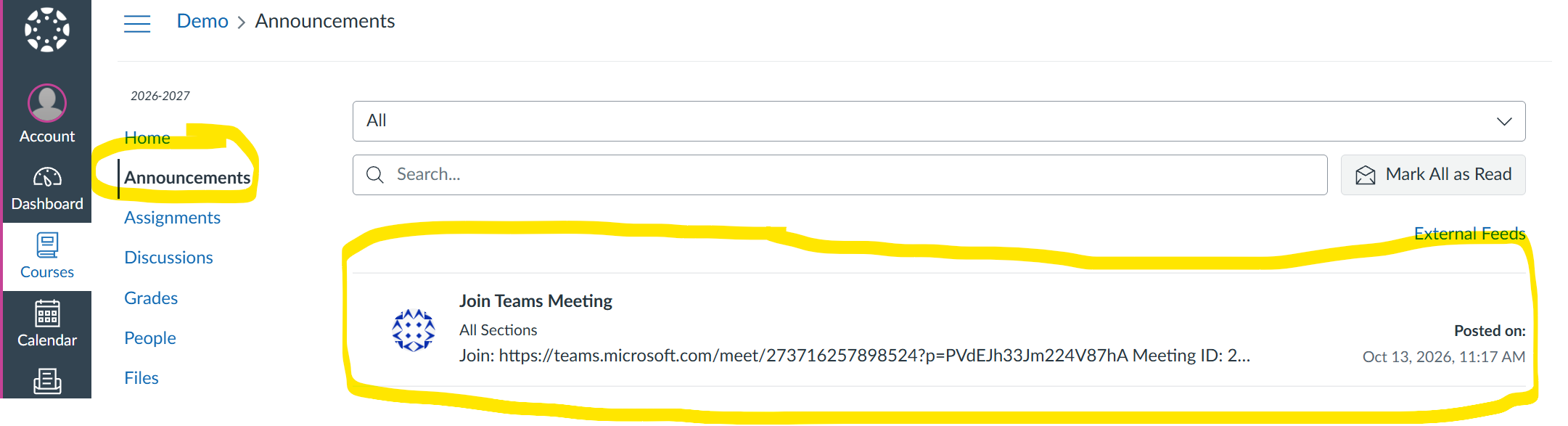
- Log into your Canvas Course and go to Announcements.
- Click on the Announcement link to join the meeting.
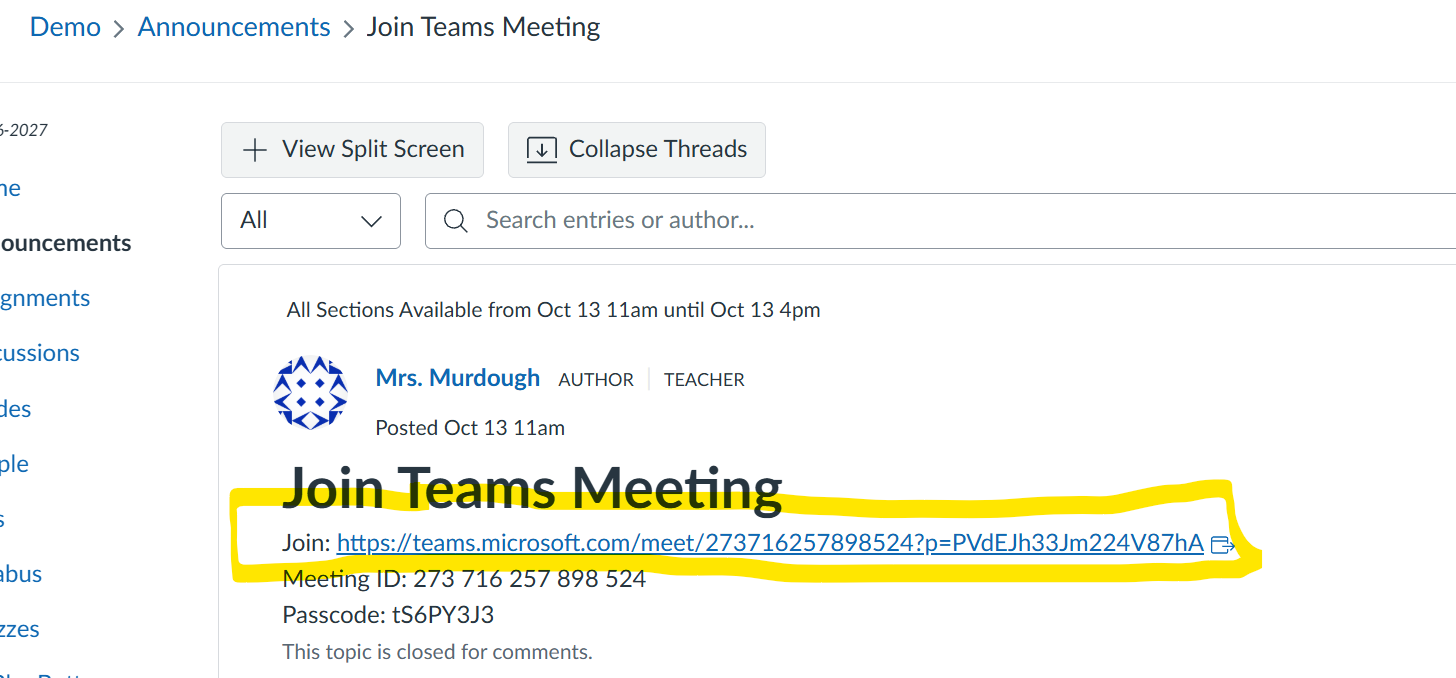
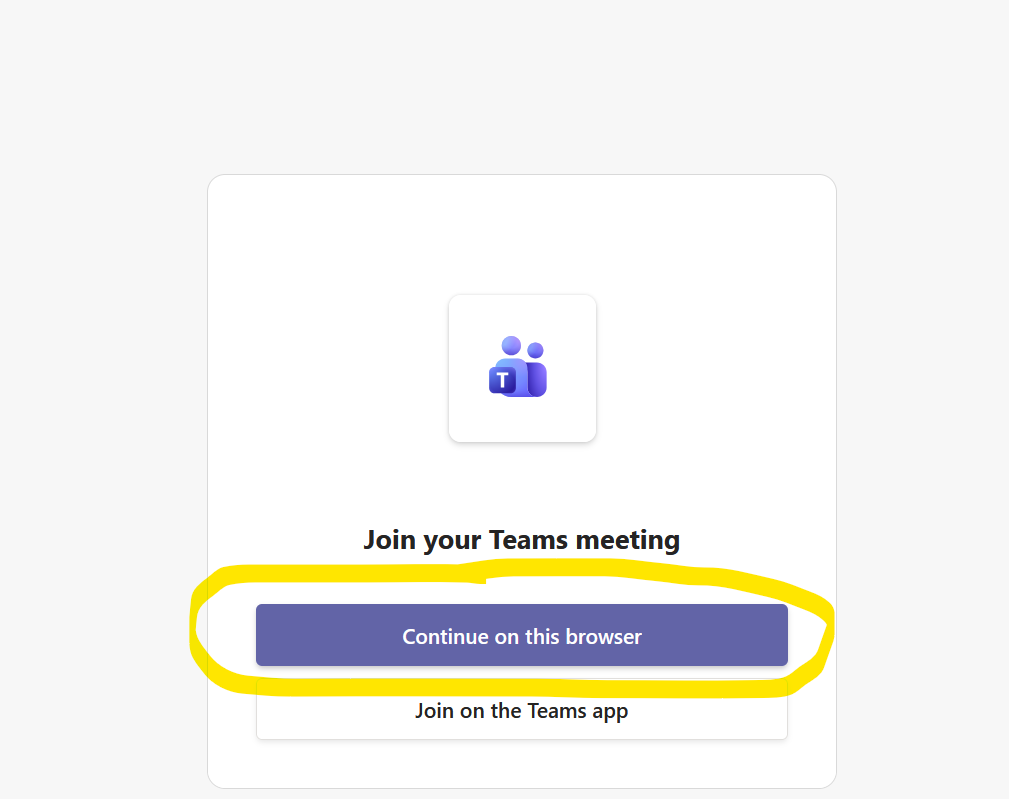
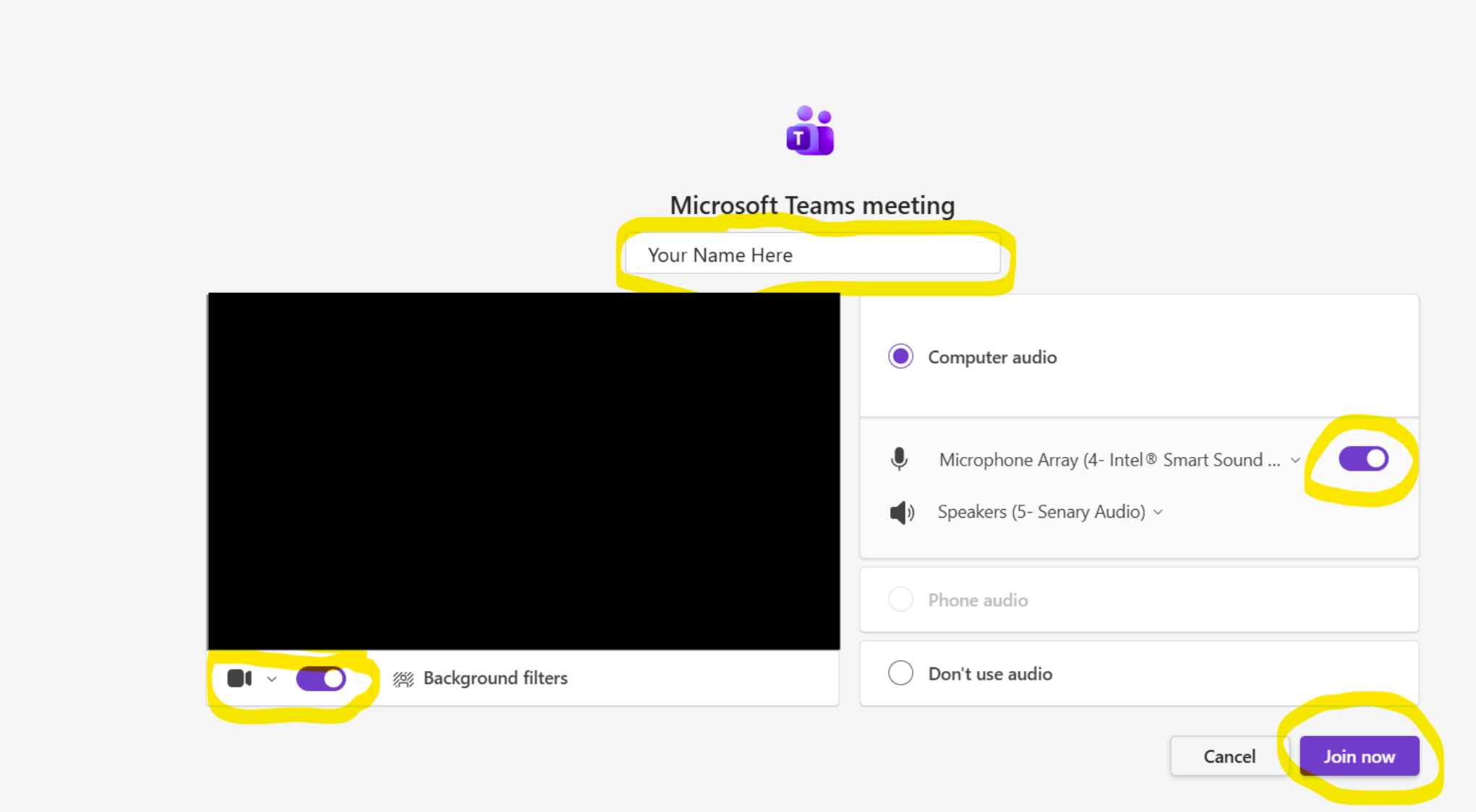
- When prompted, they select “Continue on this browser.”
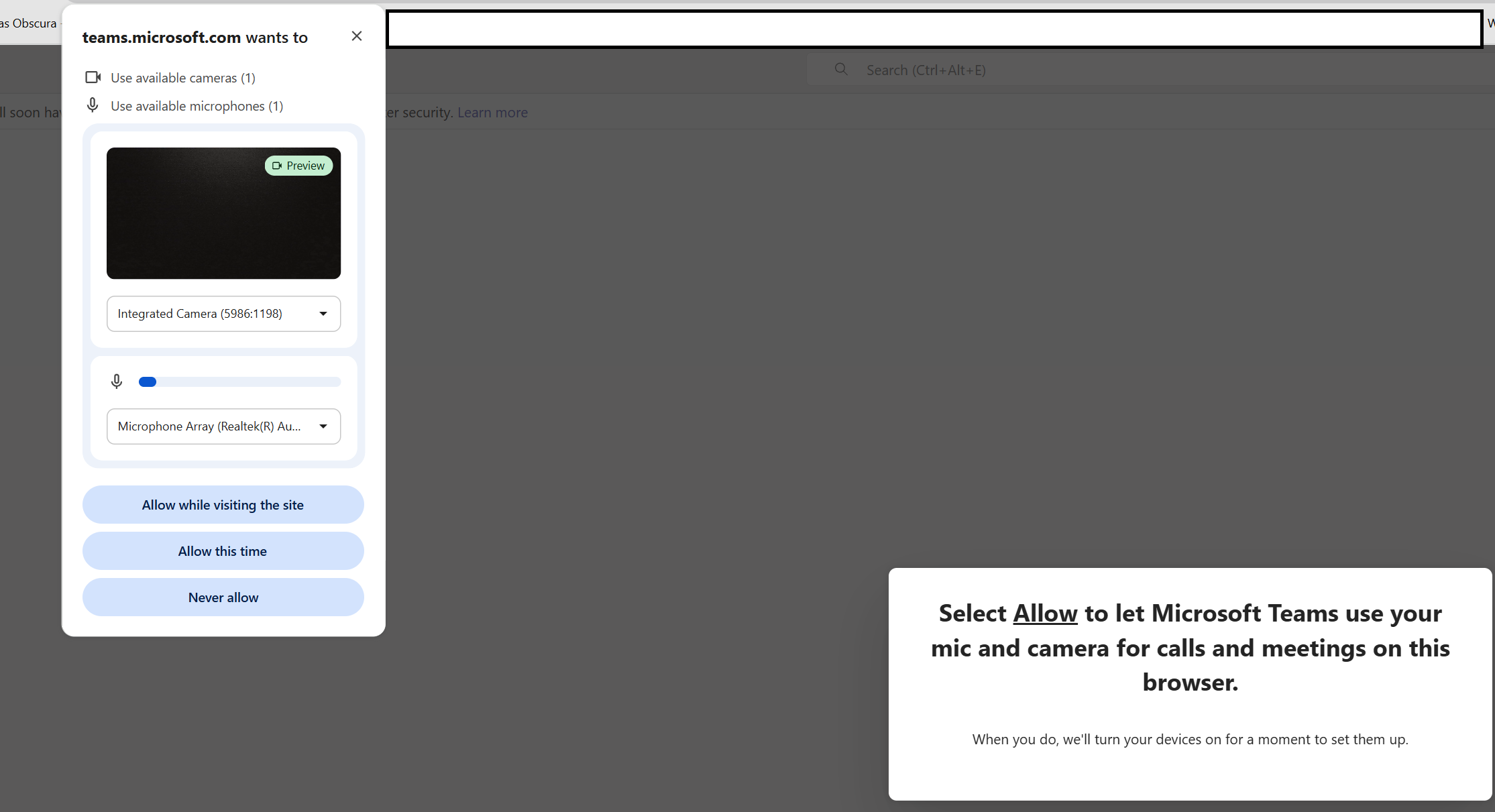
- Yes to allow camera/microphone "Allow while visiting the site". "Join Now"
Please note that:
- Supported in Microsoft Edge and Google Chrome browsers
- Guests may wait in the lobby until admitted, depending on the teacher's meeting settings.