
Are you leaving SMSD? Do you have folders/files shared with your colleagues? You need to make someone else the owner prior to leaving or the files will be deleted upon your retirement/resignation.
To transfer ownership of all files within a Google Drive folder, you must transfer ownership of each file individually, as folders cannot be transferred directly. The easiest method is to select all files inside the folder, click "Share," change the recipient to "Owner," and transfer. This works when transferring to another bubblers.us domain person.
Steps to transfer ownership of files/folders in Google:
- Open the Folder: Open the specific folder in Google Drive.
- Select All Files: Click the first file, hold down SHIFT, and click the last file to highlight everything.
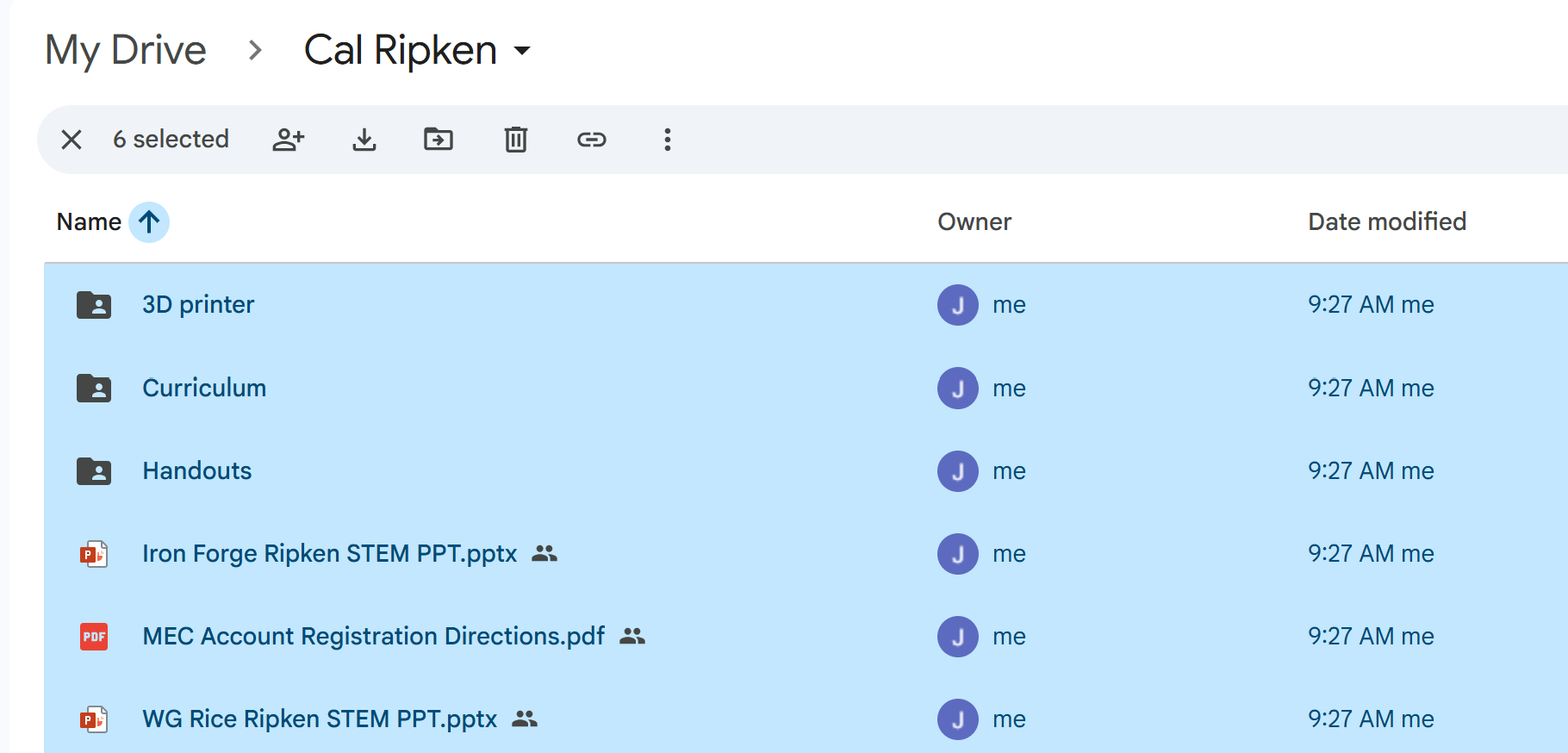
- Share with New User: Click the Share icon and enter the email address of the new owner. Ensure they are set to Editor.
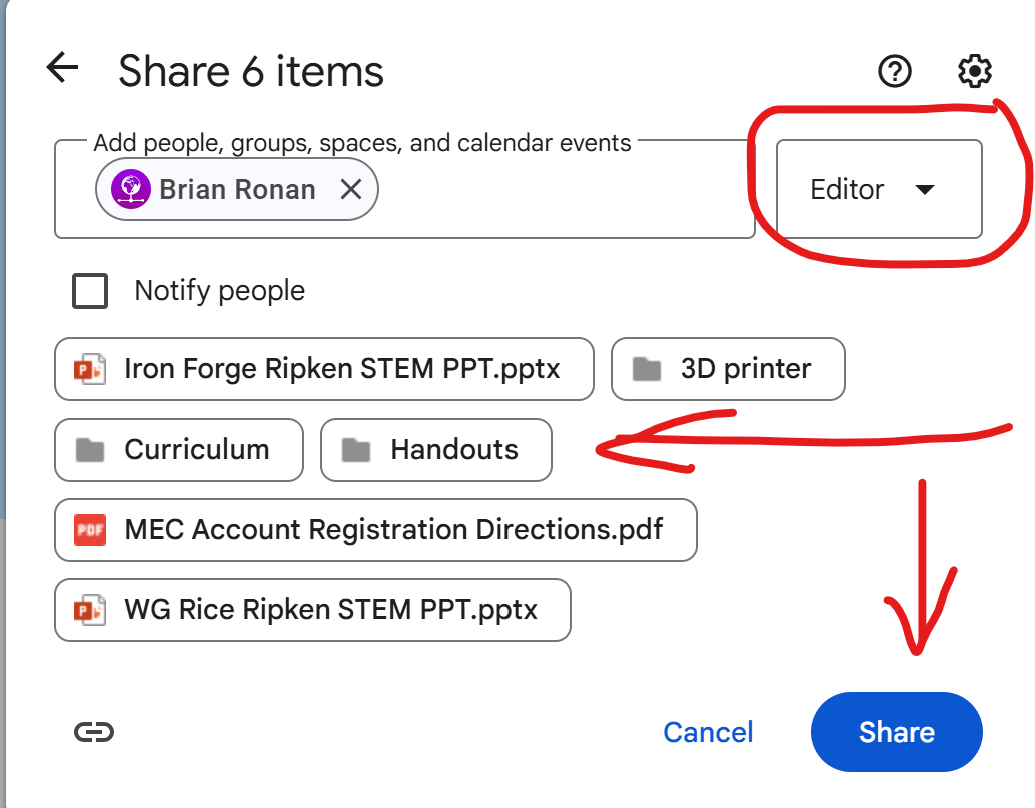
3. Next, Transfer Ownership: Click Share again, click the drop-down menu next to the new owner, and select Transfer ownership.