
i-Ready rosters are automatically populated based on data in Sapphire. If a teacher is assigned a class in Sapphire, those students will appear in that teacher’s i-Ready roster.
Staff members who do not have a direct class roster in i-Ready—such as autism support teachers or interventionists—will not automatically see students assigned to them.
To provide access for these support staff members, the building i-Ready administrator (principal) must create a Custom Report Groups. The building administrator can then add both the teacher and the specific students to that group. This allows the teacher to view i-Ready data for the students on their caseload without altering official class assignments.
The video and steps below provide instructions on how to create and manage Custom Report Groups.
Video on steps:
- Log into IReady with your Admin account
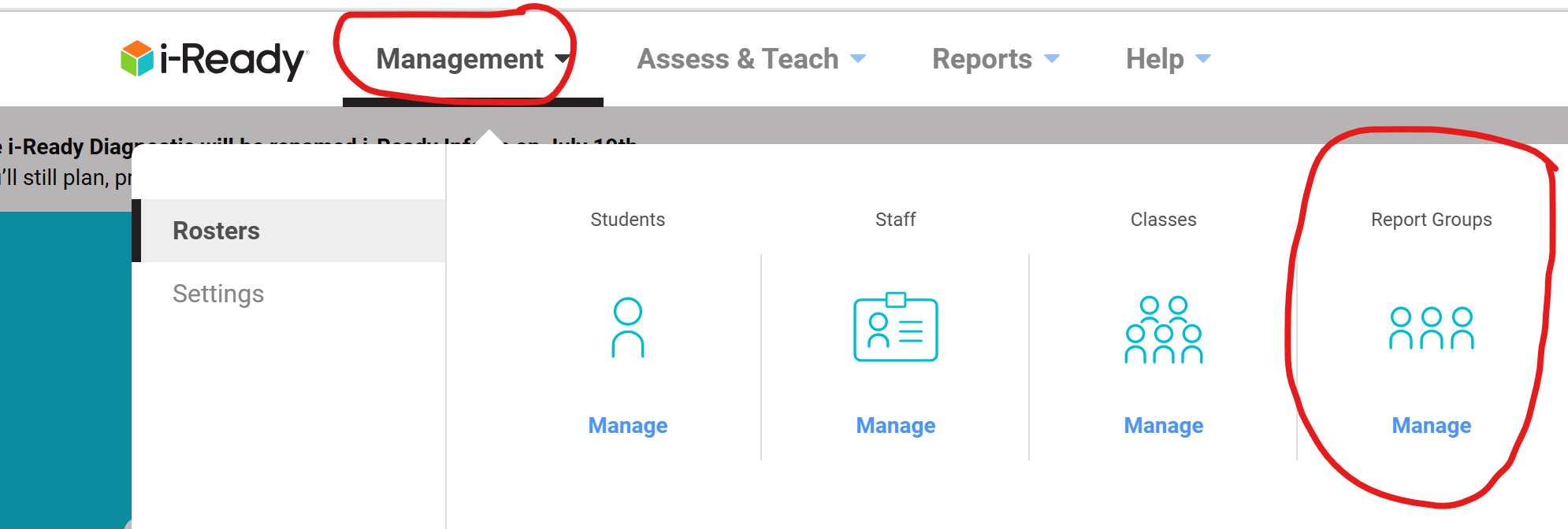
- Go to Management/Report Groups/Manage/Add Report Group

- Create the Group Name IE Sanders Math and enter the subject and for Grade do "Not Set". Then you need to Add the students.
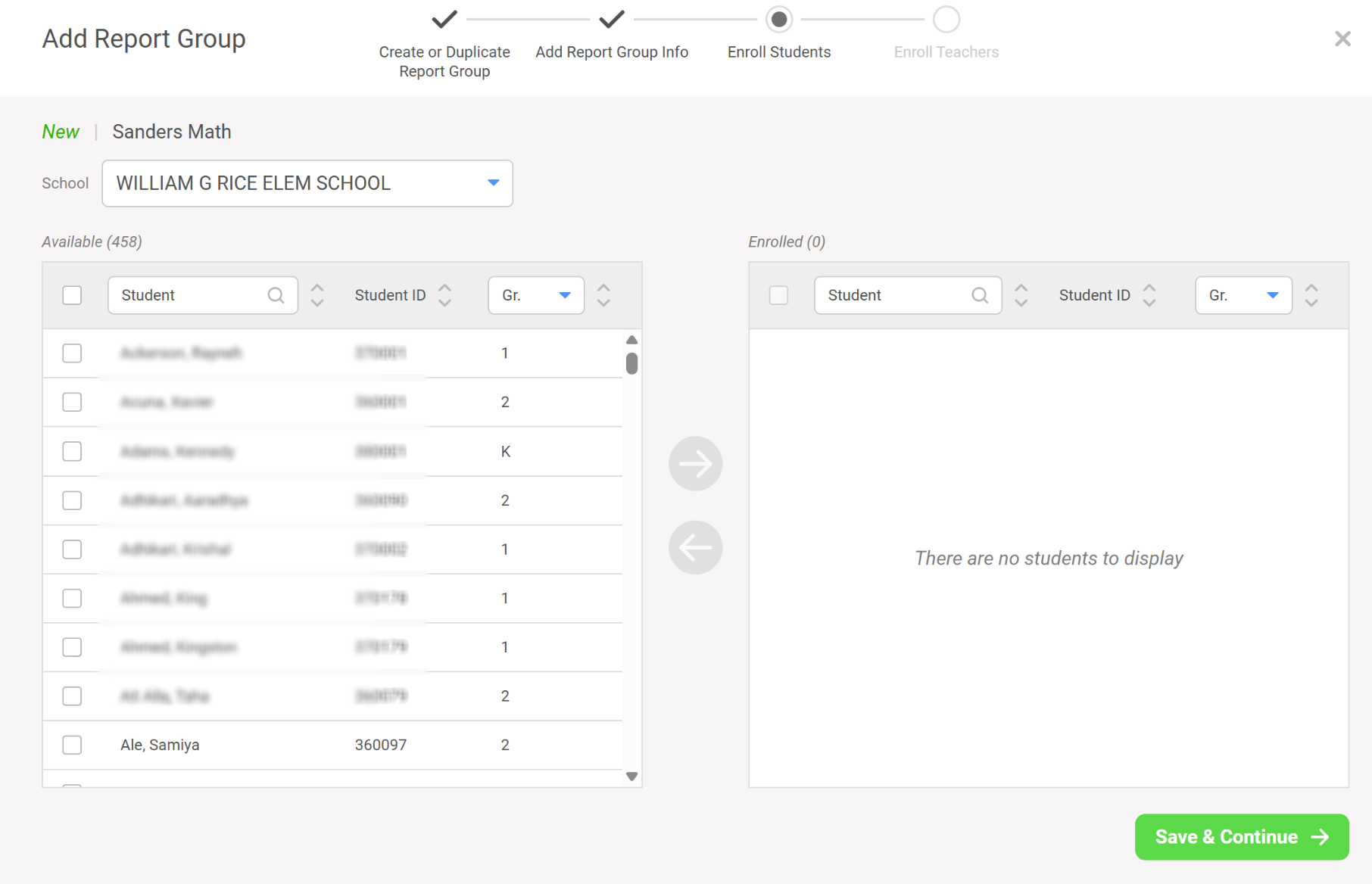
- Save and Continue and then add the teacher on the next screen.
- Save.